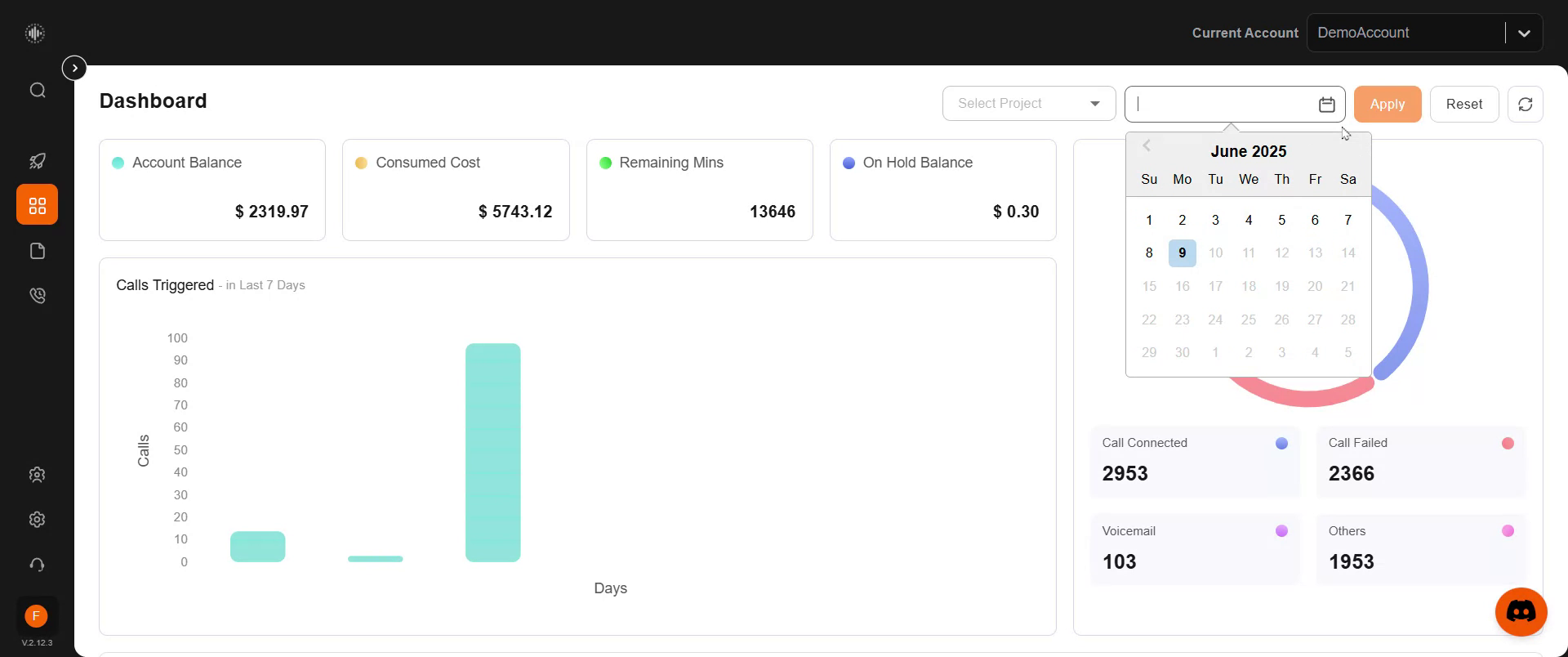
Dashboard Overview
In this overview, you'll learn about the features and information presented on the Vodex dashboard, including how to interpret your account balance, call statistics, and campaign data.
Step 1
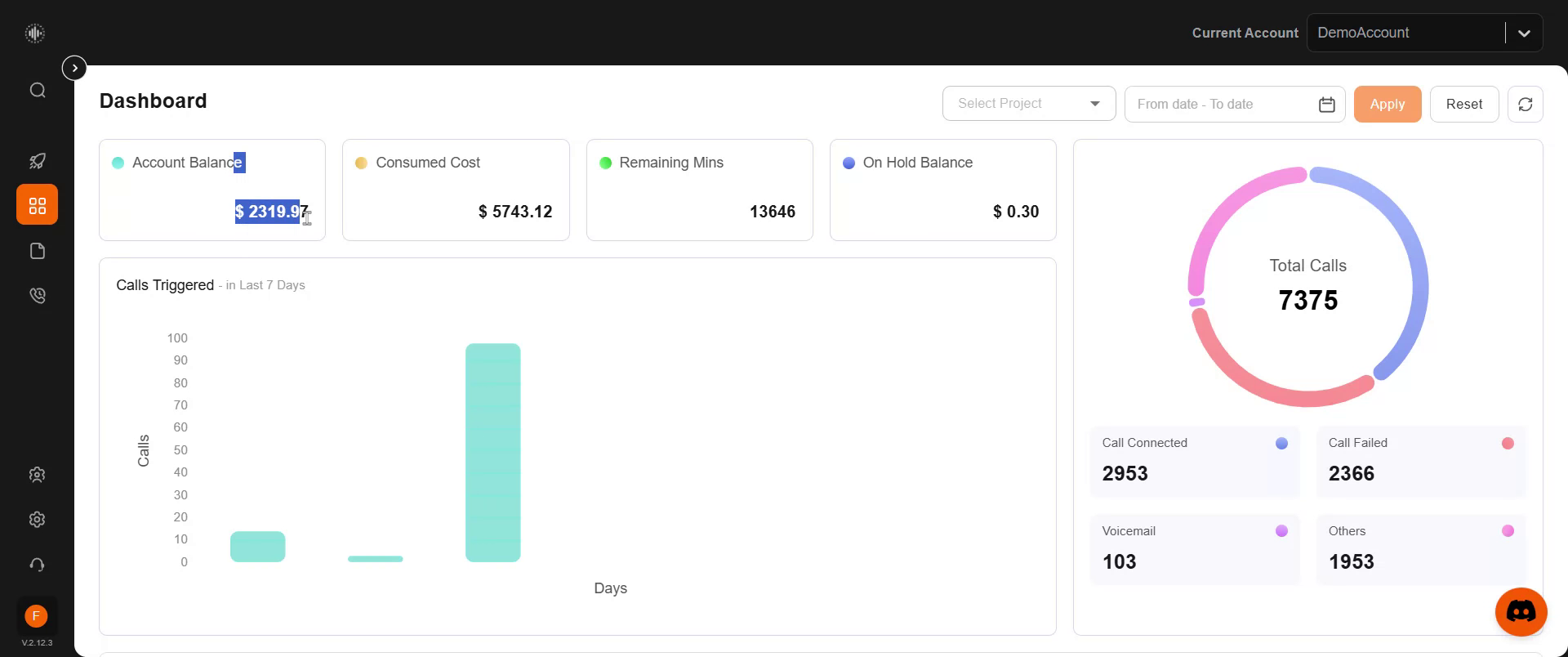
At the beginning, you'll find your account balance displayed prominently. This section shows the remaining amount, the total consumed, remaining minutes, remaining calling minutes, and the on-hold balance. You'll also see a quick summary of the calls triggered over the last seven days, providing a clear visualization of the call activity during this period. This section provides detailed statistics on the total calls triggered, connected calls, failed calls, voicemails left, and additional information.
Step 2
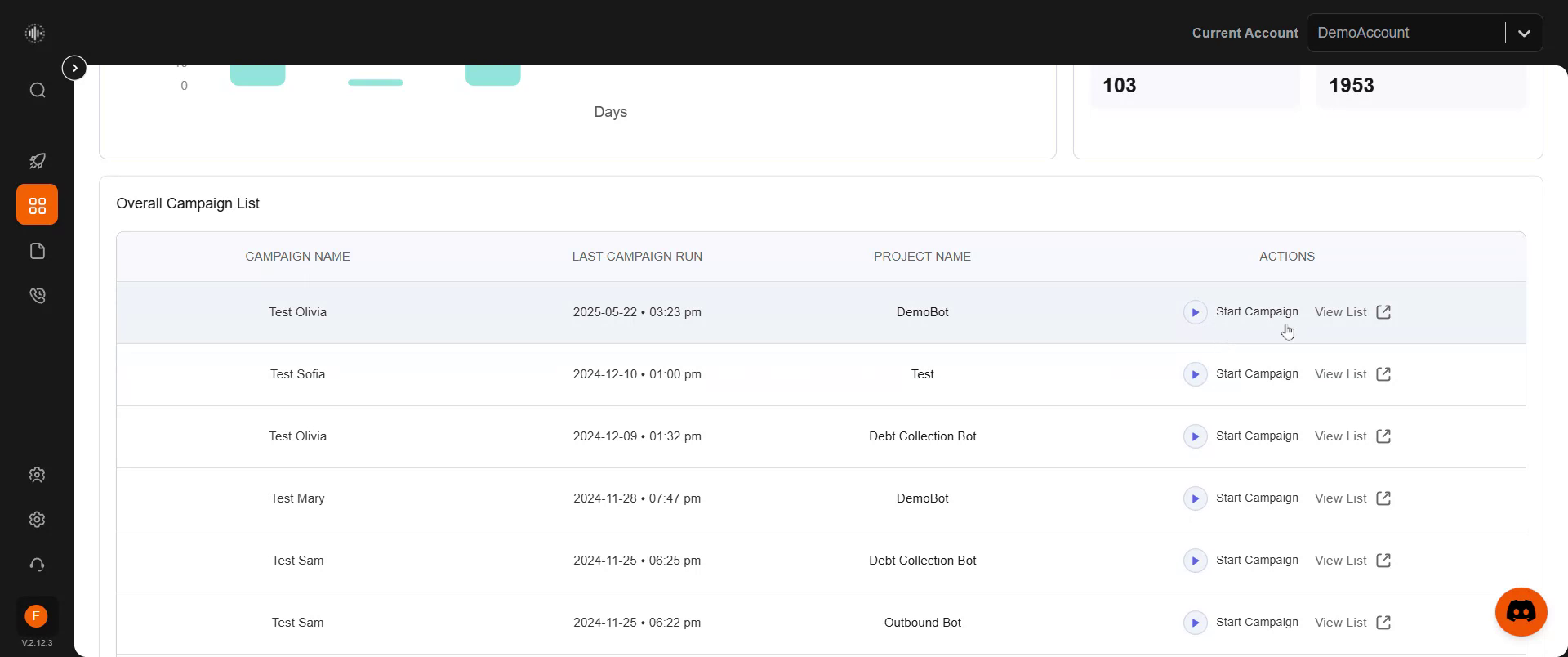
You can also access your campaign lists for quick access to recent campaigns, with options to run or view your entire campaign list directly from here.
Step 3
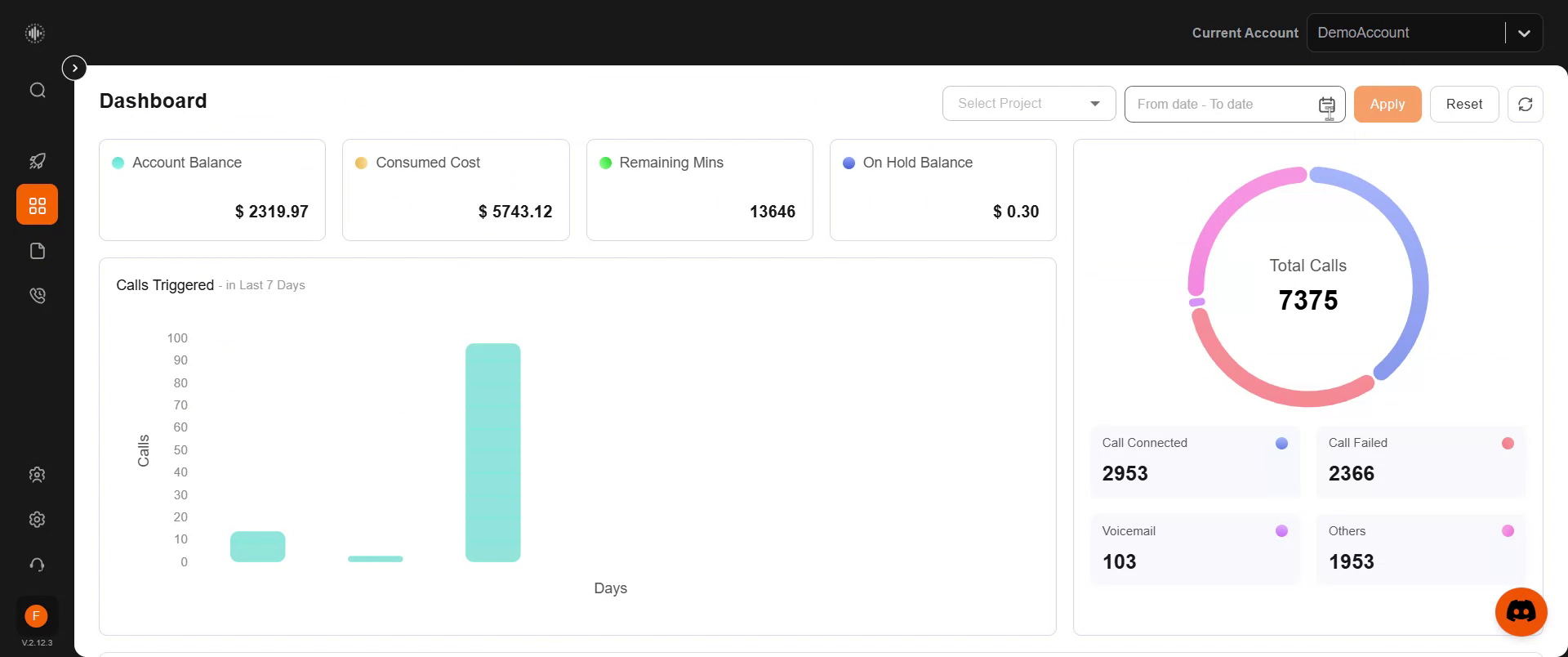
The dashboard offers a straightforward view, with an option to select specific dates to view information from past or current periods. This feature allows you to customize the data range as per your requirements.
Step 4
Simply apply the selected date range, and the displayed information will automatically update to reflect your choices.